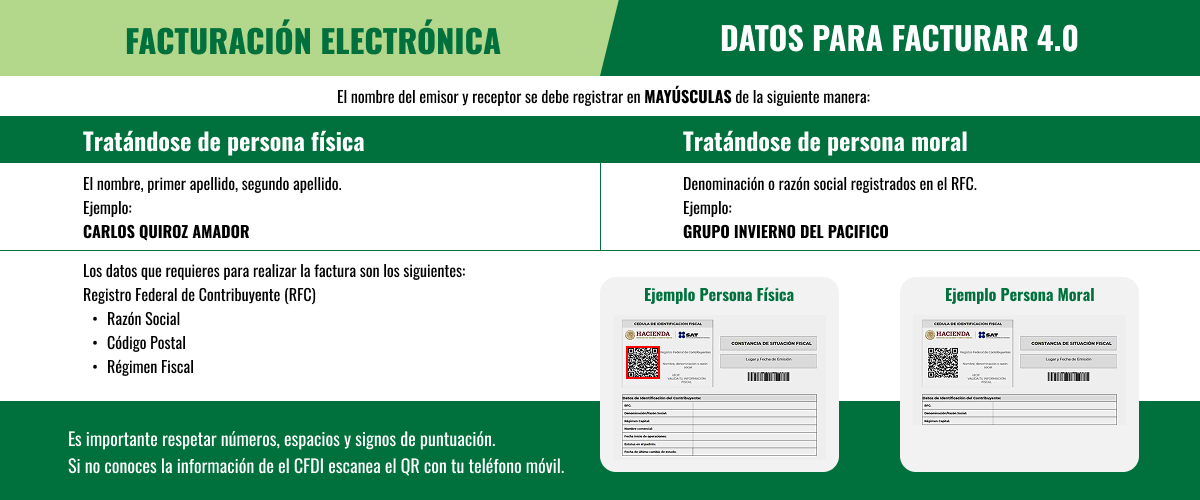
Invoicing 4.0 Notice
Important notice
Important notice
Dear Customer: We have started issuing CFDI 4.0, so you will see changes in the Invoicing portal. In accordance with tax regulations, the information you provide must exactly match the details stated on the Tax Status Certificate issued by the SAT; otherwise, the SAT will reject your CFDI issuance request.
The following information is essential to issue the invoice:
- RFC number.
- Zip code (corresponding to your fiscal domicile).
- Full Name (Natural Person) or Legal Name (Legal Entity), without including the capital regime, for example: do not include S.A. de C.V., S. de R.L., S.C., etc.
- Receiver's Tax Regime.
- Indicate the CFDI Use code.
You can only invoice contracts and online payments within the current month.
Website payments: Invoices can be generated after the online payment.
When your rental with us ends, you can generate your invoice online starting at 1:00 PM the day after your contract is closed.
For your convenience, if you make your payment through our website, you can generate your invoice immediately at the time of payment.
We remind you that once your invoice is generated, tax details cannot be modified due to errors or omitted information; it can only be rebilled when it affects the transaction amount. You can only invoice contracts and website payments within the same month the payment was made.
If you require additional information, contact our Customer Service Center at 800 737 3722, Monday to Thursday from 9:00 AM to 8:00 PM and Friday from 9:00 AM to 6:30 PM (Central Time), or email csm@ehiglobal.mx You can only invoice contracts and web
site payments within the same month the payment was made.